- TESIGN / RADAR
- OpenClip
OpenClip
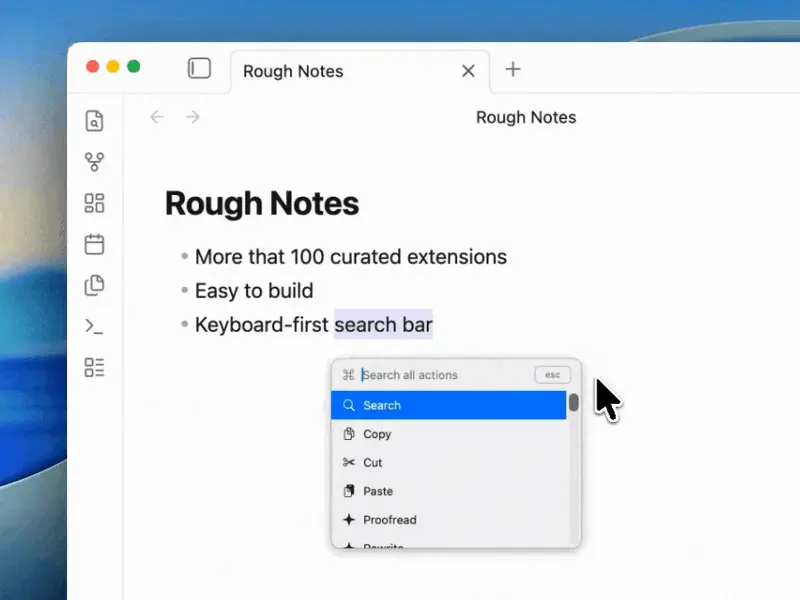
Text-selection actions for Mac users
WHO USES ITMac users who handle a lot of text · Developers · Ollama users
Install to use
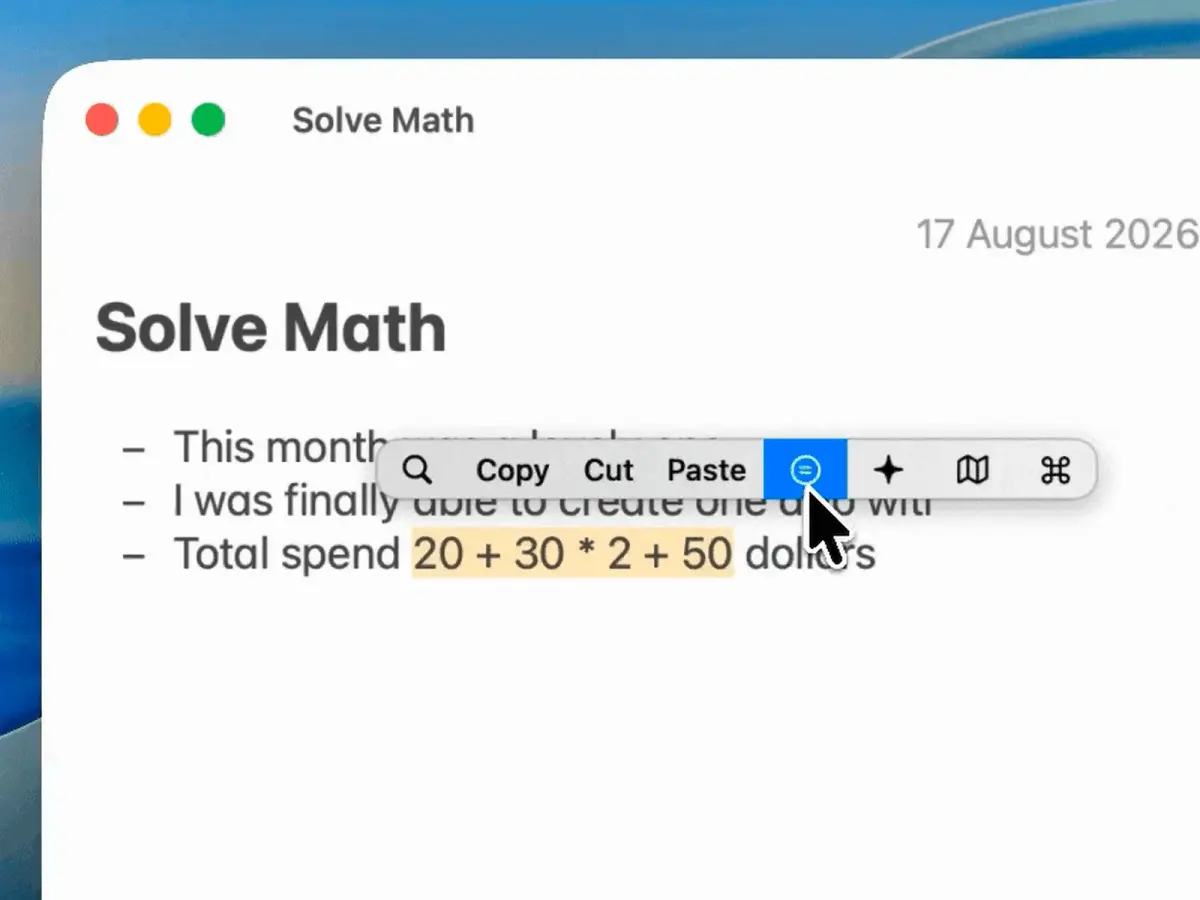
Select text in any Mac app; a floating bar offers copy, transform, math and AI actions
START IN 5 MINUTES ↓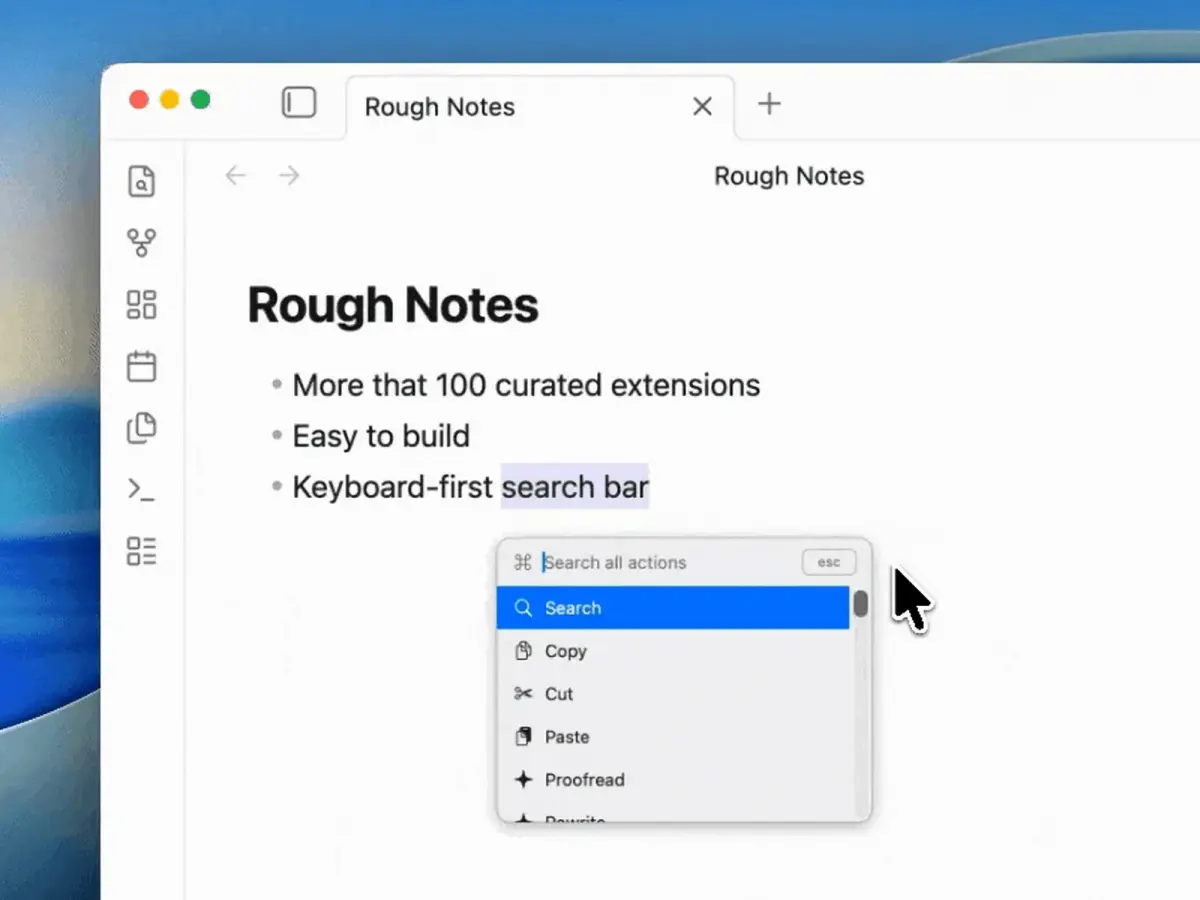
TESIGN TAKE
It is plainly an open-source PopClip alternative with a simpler extension format; the trade-off is an app that cannot work without Accessibility permission.
Activity and discovery evidence
734 stars · checked on GitHub · no 7-day star increase observed (GH Archive) (as of ) · 5 Show HN points observed
CROSS-SIGNAL Show HN + GitHub BACK CATALOG
AT A GLANCE
- LICENSE
- AGPL-3.0
- USAGE
- Release source if you redistribute or host it as a service.
- LANGUAGE
- Swift
- PLATFORM
- macos
- ACTIVITY
- last commit within 24 h () · latest release v1.9.2 () · 24 releases
- COMMUNITY
- 20 contributors · 18 open issues (incl. PRs) · made by: an individual
- SOURCES
- Show HN + GitHub
- OPEN SOURCE
- YES
- FIRST SEEN
- CATEGORY
- PRODUCTIVITY
A summary, not legal advice.
WHY IT MATTERS
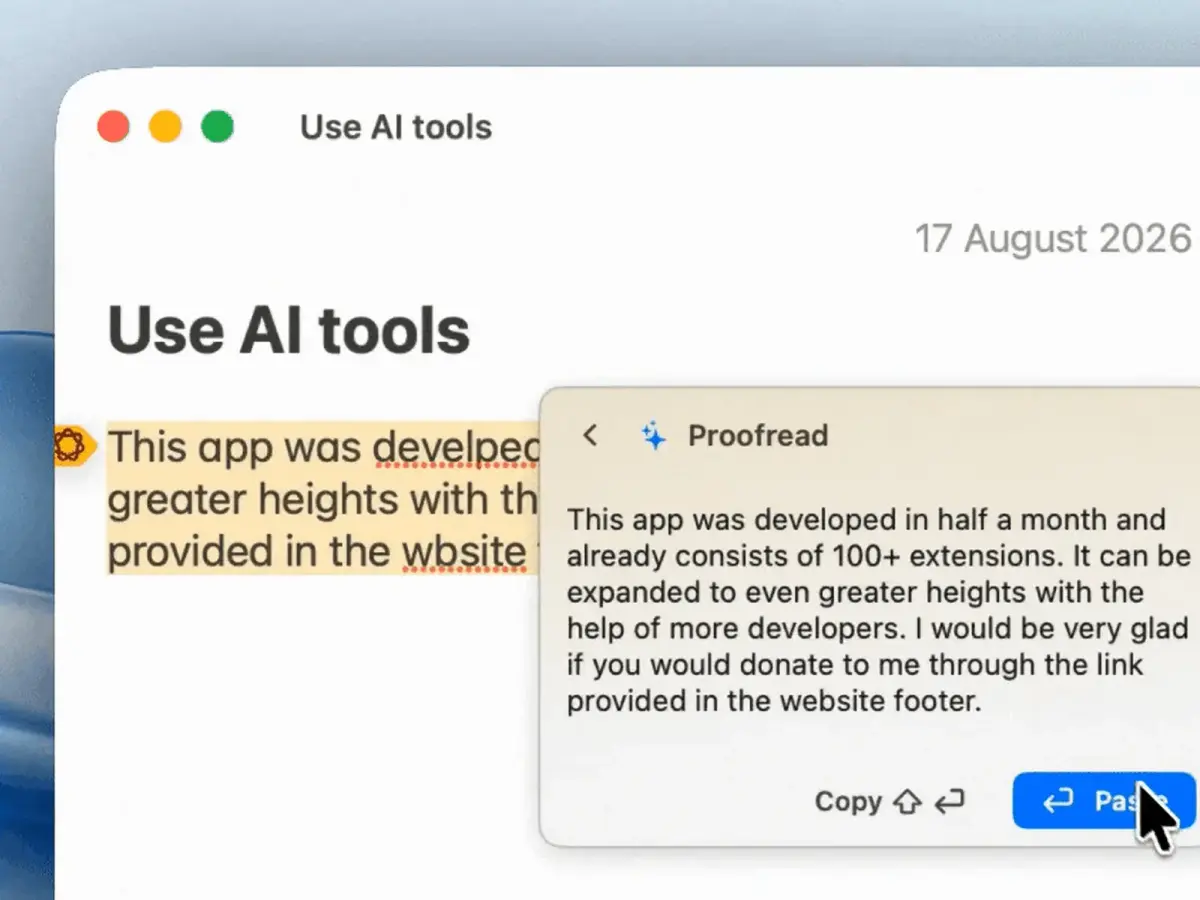
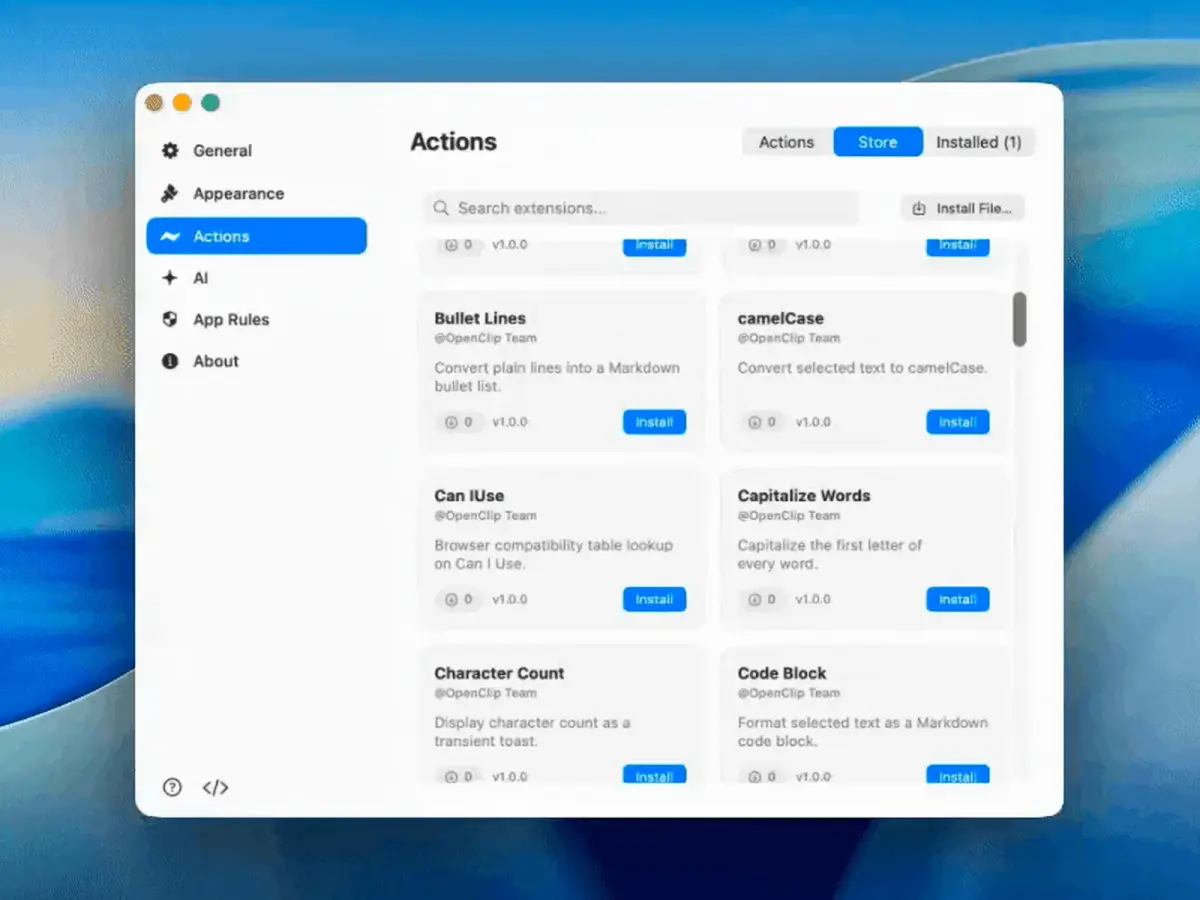
OpenClip reads the selected text through macOS Accessibility (not the clipboard) on macOS 14+ and shows a bar of actions that fit it. Pressing ⌥⌘C turns the bar into a fuzzy-search palette over the whole action catalog, and extensions are JavaScript, AppleScript, shell or URL-template files dropped into ~/.openclip/extensions with an openclip.json manifest, no compile step. AI actions can run on Apple Intelligence, a local Ollama model, or OpenAI/Claude.
BUILD FROM THIS
- One openclip.json with a URL template becomes a search action for your internal wiki or order lookup; a shell-script extension can send a selected product code to an inventory API and surface the result as a status message or notification.
WHO IT'S FOR
- Mac users who handle a lot of text
- case changes, summaries, translations on selection
- Developers
- register shell or JS scripts as text-selection actions
- Ollama users
- inline AI writing on a local model, no cloud
START IN 5 MINUTES
# brew install --cask ganeshmshetty/tap/openclip
# # launch OpenClip and grant Accessibility permission:
# System Settings → Privacy & Security → Accessibility → enable OpenClip
# # select text in any app, or press ⌥⌘C
CAVEATS
- MIT. macOS 14+ only and Accessibility permission is mandatory.
- Cloud AI (OpenAI, Claude) uses your own API key and budget; choosing Apple Intelligence or a local Ollama model needs no cloud key.
- The README states it is independent of and unaffiliated with PopClip.
RECEIPT
- FIRST SEEN
- AT SOURCE
- KEPT
- CREATED → FIRST SEEN
- 9d
- SOURCES
- Show HN + GitHub
- ◌ BACK CATALOG
- Reconstructed from archive data, not a live discovery.
The same facts in machine-readable form — View as Markdown · JSON
SIMILAR TOOLS
Up to five from PRODUCTIVITY by ★ total: edited entries first, then repository cards; this entry is highlighted. Drawn from the same stored snapshot as the rankings — a comparison, not a recommendation.
| IMAGE | NAME | ★ TOTAL | ▲ 7d | LICENSE | PLATFORM | LAST PUSH |
|---|---|---|---|---|---|---|
 | Hermes AgentSelf-improving personal agent | ★ 260k | ▲ +10 | MITpermissive | linux · macos · windows · android · cli | |
 | OpenClipText-selection actions for Mac usersTHIS ENTRY | ★ 734 | — | AGPL-3.0copyleft | macos | |
| immich-app/immichCARD | ★ 114k | — | AGPL-3.0copyleft | — | ||
| stirling-tools/stirling-pdfCARD | ★ 91.9k | — | Licence unconfirmedunconfirmed | — | ||
| sherlock-project/sherlockCARD | ★ 91.4k | — | MITpermissive | — |
ALSO WORTH SEEING
TIMELINE
- Repository created
- Show HN post ↗
- FIRST SEEN BY TESIGN ◌ BACK CATALOG